

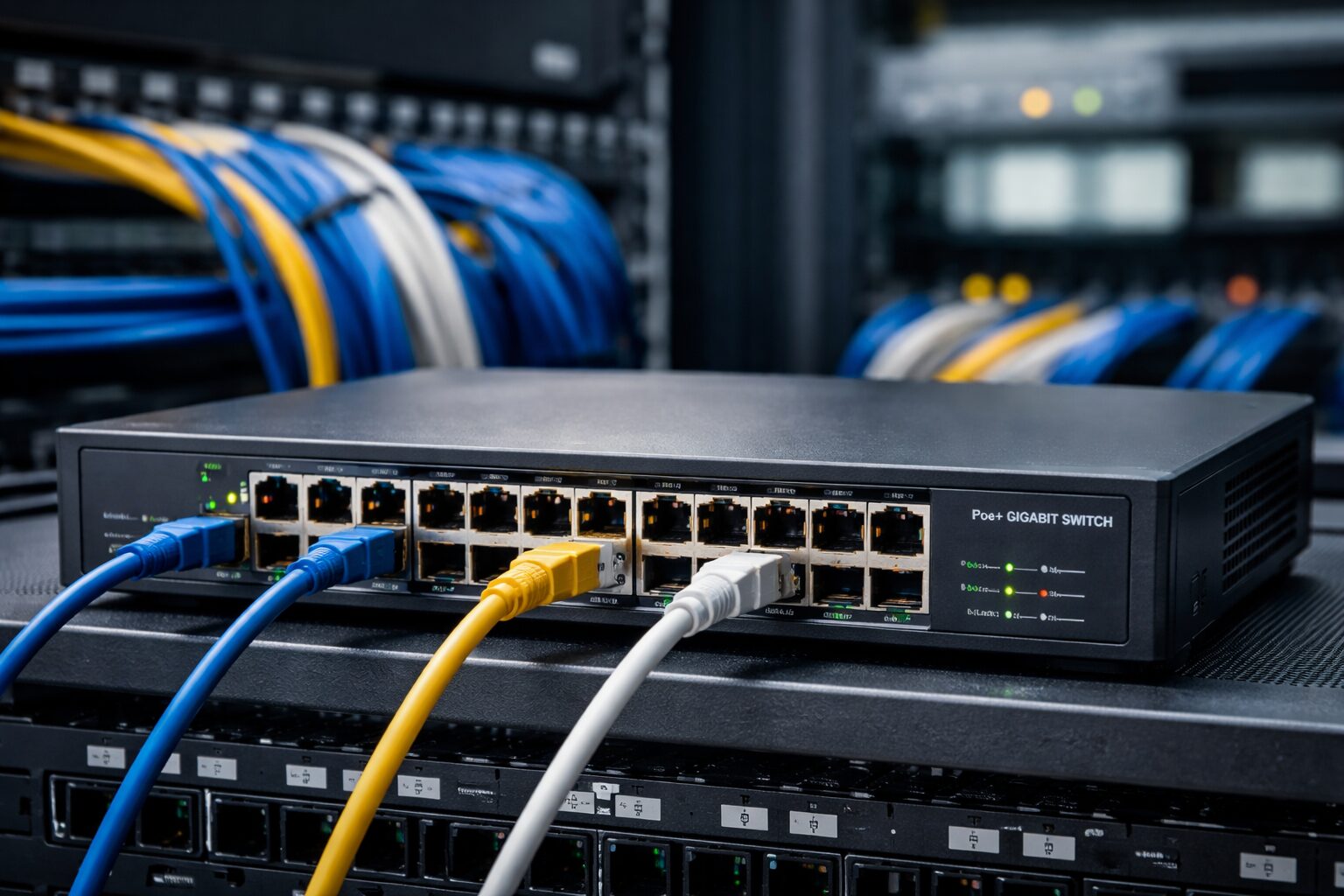
Modern networks are no longer built only for computers and printers. Today, networks power IP cameras, Wi-Fi access points, VoIP phones, smart devices, and IoT systems. Managing both data and electricity for all these devices can quickly become messy and expensive. This is where a PoE switch becomes a game changer.
A Power over Ethernet (PoE) switch allows you to send power and data through a single Ethernet cable. This simple idea removes the need for extra power outlets, adapters, and electrical wiring. Because of this, PoE switches are now essential in offices, homes, data centers, and smart buildings.
In this guide, you’ll learn what a PoE switch is, how it works, its benefits, real-world uses, and how to choose the right one for your network.
What Is a PoE Switch?
A PoE switch (Power over Ethernet switch) is a network switch that delivers both data and electrical power through a single Ethernet cable. Instead of using separate power adapters or outlets, devices receive everything they need from the switch itself.
PoE switches are commonly used to power devices like IP cameras, wireless access points, VoIP phones, smart sensors, and access control systems. This makes network setup cleaner, faster, and more flexible—especially in places where power outlets are limited. One of the biggest advantages of a PoE switch is that it automatically detects whether a connected device supports PoE before sending power, so it’s safe to use with non-PoE devices. Overall, a PoE switch simplifies network installations while reducing costs and cable clutter.
How Power over Ethernet (PoE) Works
Power over Ethernet (PoE) works by sending electrical power and network data through the same Ethernet cable, eliminating the need for separate power cords or outlets. When a device is connected, the PoE switch first checks if the device supports PoE. If it does, the switch safely delivers the correct amount of power along with data over standard Ethernet cables like Cat5e or Cat6. If the device does not support PoE, the switch will only send data, not power.
PoE uses low-voltage DC power and follows IEEE standards (such as 802.3af, 802.3at, and 802.3bt) to control power levels and prevent damage. This makes PoE a safe, reliable, and efficient way to power devices like IP cameras, Wi-Fi access points, VoIP phones, and smart devices—all from a central network switch.
PoE Switch vs Non-PoE Switch
| Feature | PoE Switch | Non-PoE Switch |
|---|---|---|
| Power delivery | Yes | No |
| Extra power adapters | Not needed | Required |
| Installation cost | Lower | Higher |
| Device flexibility | High | Limited |
A non-PoE switch can only transfer data, while a PoE switch does both power and data, reducing clutter and cost.
Advantages of a PoE switch
A PoE switch provides several key advantages that make networking simpler, more efficient, and cost-effective. First, it allows both power and data to travel over a single Ethernet cable, reducing the need for separate power supplies and keeping installations clean and organized. This also lowers infrastructure and maintenance costs by minimizing cables, adapters, and labor. Another advantage is flexible device placement—devices like IP cameras, Wi-Fi access points, and VoIP phones can be installed anywhere without relying on nearby power outlets.
PoE switches also offer centralized power management, enabling network administrators to monitor, control, and even reboot devices remotely, which simplifies troubleshooting and improves efficiency. Finally, they support network scalability and reliability, making it easy to expand the network while ensuring consistent power delivery to all connected devices.
Types of PoE Switches
PoE vs PoE+ vs PoE++ (802.3 Standards)
PoE switches follow IEEE standards that define how much power they can deliver:
| Standard | Max Power per Port | Common Use |
|---|---|---|
| PoE (802.3af) | 15.4W | VoIP phones, basic cameras |
| PoE+ (802.3at) | 30W | Wi-Fi access points, PTZ cameras |
| PoE++ (802.3bt) | 60W–100W | Smart displays, IoT hubs |
Tip: Always check your device’s power needs before choosing a PoE standard.
Managed vs Unmanaged PoE Switches
- Unmanaged PoE Switch
- Plug-and-play
- No configuration needed
- Best for small offices and home networks
- Managed PoE Switch
- Advanced controls (VLANs, QoS, monitoring)
- Better security
- Ideal for businesses and enterprises
Smart PoE Switches
Smart PoE switches sit between managed and unmanaged switches. They offer basic configuration, monitoring, and PoE control without full enterprise complexity.
Benefits of a PoE Switch
A PoE switch offers multiple benefits that make it essential for modern networks. By delivering both data and power over a single Ethernet cable, it simplifies installation and reduces the need for extra power outlets or adapters, keeping wiring clean and organized. This also lowers infrastructure and maintenance costs, as fewer cables and electrical connections are required. PoE switches provide flexible device placement, allowing IP cameras, Wi-Fi access points, and other devices to be installed in optimal locations without worrying about nearby power sources. Additionally, they enable centralized power management, so administrators can monitor, control, and even reboot devices remotely, improving troubleshooting and efficiency.
Overall, PoE switches enhance network scalability and reliability, making it easier to expand your setup while ensuring consistent, dependable power delivery to all connected devices.
Visual Insight: Why Businesses Choose PoE
Estimated Network Deployment Cost Comparison
Traditional Setup:  ██████████████ 100%
PoE-Based Setup:    ████████       ~65%
Studies show PoE deployments can reduce installation costs by 30–40%, especially in large networks.
Common Uses of a PoE Switch
IP Cameras and CCTV Systems
PoE switches are widely used in surveillance systems. One cable powers the camera and sends video data back to the network, making installations faster and cleaner.
VoIP Phones
VoIP phones rely on PoE switches to stay powered even during power outages when connected to a UPS.
Wireless Access Points
Modern Wi-Fi access points often use PoE+ or PoE++ for stable power delivery and easy ceiling mounting.
Smart Building and IoT Devices
PoE supports:
- Smart lighting
- Sensors
- Door controllers
- Environmental monitors
This makes it ideal for smart offices and buildings.
Access Control Systems
Keycard readers, biometric scanners, and smart locks often run on PoE for centralized management and reliability.
How to Choose the Right PoE Switch
Power Budget Requirements
Each PoE switch has a total power budget. For example:
- 24-port PoE switch with 370W power budget
- Devices consume different wattage per port
Always calculate total power needs before buying.
Number of Ports Needed
Count your current devices and add room for future expansion. A 24-port or 48-port PoE switch is common for businesses.
Managed vs Unmanaged Needs
Choose:
- Unmanaged for simple networks
- Managed for traffic control, security, and scalability
Network Speed
- Fast Ethernet (100 Mbps) – basic setups
- Gigabit Ethernet (1 Gbps) – most modern networks
- 10GbE – data-heavy environments
Indoor vs Outdoor Deployment
Outdoor PoE switches should be:
- Weather-resistant
- Temperature-tolerant
Compatibility with PoE Standards
Ensure the switch supports the same PoE standard required by your devices to avoid power issues.
PoE Switch vs PoE Injector
Key Differences
| Feature | PoE Switch | PoE Injector |
|---|---|---|
| Power multiple devices | Yes | No |
| Network management | Yes | No |
| Scalability | High | Low |
A PoE switch combines networking and power delivery in one device, making it suitable for full network setups and multiple PoE devices. A PoE injector adds power to a single Ethernet cable and is best for small setups or when powering just one device. If you plan to expand or manage several devices, a PoE switch is the better long-term choice.
When a PoE Switch Is Better
A PoE switch is better when you need to power multiple devices and want a simple, organized network. It delivers power and data to many devices at once, reduces cable clutter, and allows centralized control. A PoE switch is ideal for offices, businesses, and growing networks where reliability, scalability, and easy management are important.
Installation and Safety Considerations
When installing a PoE switch, proper setup and safety checks are important to ensure stable performance and long device life.
Cable length and quality
PoE works best with high-quality Ethernet cables such as Cat5e, Cat6, or higher. The maximum recommended cable length is 100 meters (328 feet). Using low-quality or damaged cables can cause power loss or network issues.
Power limits and heat management
Each PoE switch has a total power budget. Connecting too many high-power devices can overload the switch. High-power PoE switches may also generate heat, so place them in a well-ventilated area to prevent overheating.
Device compatibility checks
PoE switches are designed to safely detect whether a device supports PoE before sending power. This means they will not damage non-PoE devices. However, it’s still best to use certified PoE equipment and follow the manufacturer’s guidelines.
By following these installation and safety considerations, you can ensure your PoE switch runs efficiently, safely, and reliably over the long term.
Frequently Asked Questions About PoE Switches
What is a PoE switch?
A PoE (Power over Ethernet) switch is a network switch that sends both data and electrical power through a single Ethernet cable. It powers devices like IP cameras, Wi-Fi access points, and VoIP phones without needing extra power adapters.
What is PoE used for?
PoE is used to power network devices such as security cameras, wireless access points, VoIP phones, smart sensors, and access control systems. It helps reduce cable clutter, lowers installation costs, and makes device placement more flexible.
What is the difference between a PoE switch and a normal switch?
A PoE switch delivers both power and data, while a normal switch only transfers data. With a normal switch, devices need separate power sources. A PoE switch simplifies setup by using one Ethernet cable for everything.
Can I use a PoE switch for my home network?
Yes. A PoE switch is great for home networks, especially if you use IP cameras, mesh Wi-Fi access points, or smart home devices. An unmanaged PoE switch is usually enough for home use and is easy to set up.
Can a PoE Switch Damage Non-PoE Devices?
No. PoE switches only send power after confirming device compatibility.
What Is the Maximum Distance for PoE?
Standard PoE works up to 100 meters. Extensions require PoE extenders or fiber.
How Many Devices Can a PoE Switch Power?
It depends on the power budget and device wattage. A 24-port switch may power anywhere from 8 to 24 devices.
Conclusion
A PoE switch simplifies networking by combining power and data into one cable. It lowers costs, improves flexibility, and supports modern devices like IP cameras, VoIP phones, and Wi-Fi access points. When choosing a PoE switch, focus on power budget, port count, PoE standards, and management needs. The right choice ensures a stable, scalable, and future-proof network.
Disclaimer
This article is for educational and informational purposes only. Product features, power ratings, and standards may vary by manufacturer. Always consult official documentation or a certified network professional before installing PoE equipment.

