


In today’s digital world, internet speed is key to a good online experience. Whether you’re watching your favorite shows, working from home, or playing games with friends, the right download and upload speeds are a must.
With more online activities, knowing your internet speed needs is important for a smooth experience. For example, watching HD videos needs faster speeds than just browsing websites.
Exploring the world of online activities shows how important broadband is in our daily lives.
Key Takeaways
- Understanding internet speed needs is key for a smooth online experience.
- Different online activities need different download and upload speeds.
- Broadband is vital for the quality of our online experiences.
- The right internet speed is essential for streaming, gaming, and remote work.
- Internet speed needs change based on the online activity.
Understanding Internet Speed Basics
The world of internet speeds can seem complex. But knowing the basics helps you make smart choices online.
What Internet Speed Actually Means
Internet speed is how fast data moves online. It affects how quickly you can open websites, watch videos, and download files.
Bandwidth vs. Throughput
Bandwidth is the max data you can send over the internet at once, in megabits per second (Mbps). Throughput is how much data actually gets through.
Latency and Ping Explained
Latency, or ping, is how long data takes to get from you to a server and back. A low ping means a fast, responsive internet, great for gaming.
Download vs. Upload Speeds
Download speed is how fast data comes to you from the internet. Upload speed is how fast you send data to the internet. Download speeds are usually more important, but upload speeds matter for video calls.
Common Speed Measurements Explained
Internet speeds are usually in Mbps (megabits per second). It’s key to know the difference between Mbps and MBps (megabytes per second).
Mbps vs. MBps: The Important Difference
Mbps is the speed of data transfer in megabits per second. MBps is in megabytes per second. So, 100 Mbps is the same as 12.5 MBps.
How Much Internet Speed Do I Need? A Practical Guide
What is a good internet speed for your home?
Internet Speed Requirements by Activity
Multiple Users and Devices: Calculating Household Needs
As more devices connect in homes, knowing how they affect internet speed is key. With more devices online, bandwidth demand rises. It’s vital to accurately figure out your household’s internet needs.
How Multiple Devices Affect Speed Requirements
Having many devices in a home changes what internet speed you need. Each device, like a phone, laptop, or smart TV, takes up some bandwidth. It’s important to know how each device affects your internet use.
Device Counting Methodology
To figure out your internet needs, count all devices that will use the internet at once. This includes phones, laptops, desktops, smart TVs, gaming consoles, and more.
Simultaneous Usage Considerations
It’s not just the number of devices that counts, but how they’re used. Streaming, gaming, and video calls need more bandwidth than just browsing or emailing. Knowing how your devices are used at the same time is key.
Peak Usage Calculator
To make it easier, use a peak usage calculator. This tool estimates your internet needs based on devices and their use.
“Using a peak usage calculator can help you avoid underestimating your internet needs, ensuring a smoother online experience for all users.”
Planning for Peak Usage Times
Evenings when everyone’s home need more bandwidth. Adjusting your internet plan or managing device use can help keep connections stable. Make sure important tasks get done during busy times.
Work From Home Speed Requirements
Working from home has made fast and reliable internet very important. As more people work from home, they need good internet speeds.
Basic vs. Data-Intensive Remote Work
Remote work includes simple tasks like emailing and complex tasks like video calls. The speed needed depends on the task. Simple tasks need speeds of 1-5 Mbps, while complex tasks need more.
Video Conference Quality Requirements
Video calls are a big part of remote work. Each platform has its own quality needs. A fast and stable internet is key for smooth video calls.
Platform Comparison: Zoom, Teams, and Google Meet
Popular video call platforms have different speed needs. For example, Zoom needs 1.5 Mbps for standard video, while Google Meet needs 3 Mbps for HD.
| Platform | Minimum Speed Required |
|---|---|
| Zoom | 1.5 Mbps |
| Microsoft Teams | 1 Mbps |
| Google Meet | 3 Mbps |
VPN and Security Considerations
VPNs can slow down your internet because of encryption. But, they are important for safe remote work.
How VPNs Impact Speed Performance
VPNs can slow your internet by up to 50%. It depends on the VPN and where it is. Choosing a VPN that doesn’t slow you down is important.
Streaming and Entertainment Speed Needs
Testing and Troubleshooting Your Internet Speed
Knowing your internet speed is key for a smooth online experience. Whether you’re working from home, streaming shows, or gaming, the right speed matters a lot.
Reliable Speed Testing Tools
To get an accurate internet speed, you need good testing tools. Here are some popular ones:
- Speedtest.net by Ookla
- Fast.com by Netflix
- Google’s Measurement Lab
How to Conduct an Accurate Speed Test
To test your speed right, follow these steps:
- Use a device plugged directly into your router with Ethernet.
- Close all apps that use a lot of bandwidth.
- Go to your chosen speed testing website.
- Run the test a few times to check if the results are the same.
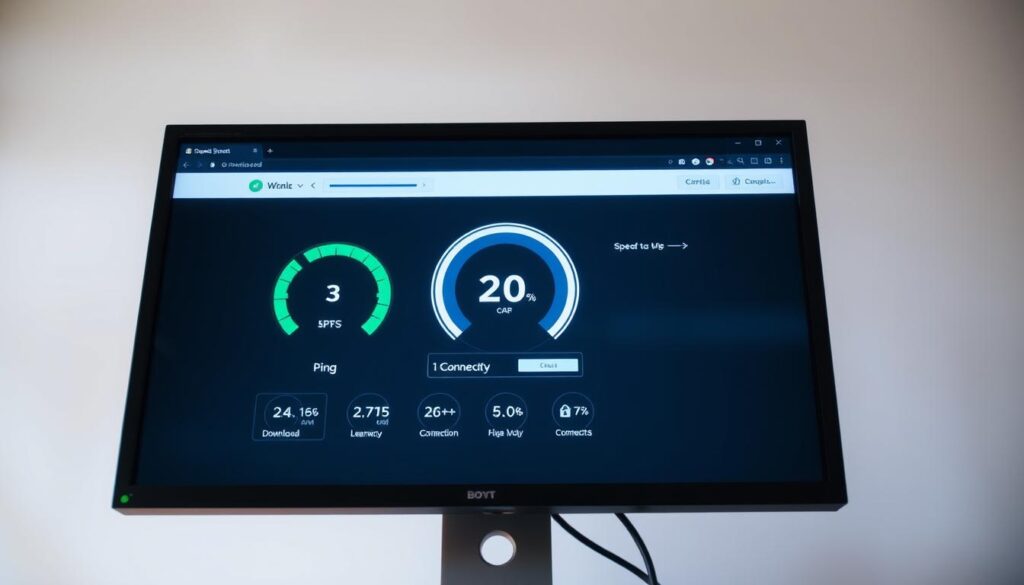
Understanding Your Speed Test Results
After running your speed test, it’s important to understand the results. Look for:
- Download speed
- Upload speed
- Ping (latency)
Interpreting Graphs and Statistics
Many speed testing tools show graphs and detailed stats. Pay attention to:
- How consistent the results are across tests
- How your speeds compare to national averages
Common Causes of Speed Problems
Slow internet speeds can come from many things, like:
| Cause | Impact | Solution |
|---|---|---|
| Router Placement | Weak signal strength | Move router to a central location |
| Outdated Hardware | Slow speeds, dropped connections | Upgrade your router and devices |
| ISP Throttling | Intentional speed reduction | Contact your ISP, consider a VPN |
Router Placement and Configuration Tips
To make your router work better:
- Put it in a central spot
- Avoid things that block the signal
- Keep your router’s firmware up to date
By following these tips, you can test and fix your internet speed. This will make your online experience smoother.
Choosing the Right Internet Plan
There are many internet service providers (ISPs) to choose from. It’s important to think carefully about your options. You should look at what different ISPs offer in your area. Choosing the right internet plan for your home starts with understanding your online needs and the number of devices you use. If you mostly browse the web, check email, and stream in HD, a basic plan with 10–25 Mbps may be sufficient.
For households that stream 4K video, play online games, or have multiple users connected at once, a faster plan with 50–100 Mbps or more is ideal. Other factors to consider include data caps, reliability, customer support, and cost. It’s also worth checking whether the provider offers bundles with Wi-Fi equipment or promotions that suit your budget. Selecting a plan that matches your usage ensures smooth, uninterrupted internet for all your devices.
Conclusion: Making an Informed Decision About Your Internet Speed
Knowing what internet speed you need is key for a smooth online life. Think about how many devices you have, what you do online, and how many people use the internet at home. This helps figure out the best internet speed for your family.
Choosing the right internet plan means looking at what you need, checking what providers offer, and watching out for limits like data caps or throttling.
This article has given you the tools to pick an internet plan that fits your needs. Whether you love streaming, gaming online, or work from home, picking the right speed is vital. It helps you work better and enjoy your time online more.
With the right internet speed, you can enjoy your online activities without any hitches. You’ll get the most out of your internet connection.

