Creating a self-custody wallet is key to keeping your cryptocurrencies safe. Since 2018, the Coinbase Wallet has been a top pick. It’s easy to use and very secure.
Having a self-custody wallet is very important. It lets you control your digital assets fully. This guide will show you how to make a Coinbase Wallet. You’ll learn all the steps and get tips to start.
Key Takeaways
- Understand the importance of self-custody wallets for secure cryptocurrency management.
- Learn the step-by-step process to create a Coinbase Wallet.
- Discover the key features and benefits of using a Coinbase Wallet.
- Get insights into securing your digital assets with best practices.
- Explore the user interface and navigation of the Coinbase Wallet.
Understanding Cryptocurrency Wallets
For anyone interested in digital currencies, knowing about cryptocurrency wallets is key. A wallet is a software that keeps your private and public keys safe. It lets you use different blockchain networks.
What is a Cryptocurrency Wallet?
A cryptocurrency wallet is a digital tool for storing, sending, and receiving digital money. It doesn’t hold the money itself. Instead, it keeps the keys that show you own it.
Types of Crypto Wallets
Crypto wallets vary, each with unique features and security levels.
Hot Wallets vs. Cold Wallets
Hot wallets are always online, making transactions easy but risky. Cold wallets stay offline, offering better security but less ease of use.
Custodial vs. Non-Custodial Solutions
Custodial wallets are managed by someone else, which is handy but requires trust. Non-custodial wallets let you control your keys, boosting security but adding more responsibility.
Importance of Secure Wallet Management
Keeping your wallet secure is vital because digital money transactions can’t be undone. Many users have faced wallet security issues, showing the need for strong protection.
What is Coinbase Wallet?
Coinbase Wallet is a well-known place to store, send, and get different digital assets. It makes managing cryptocurrencies easy for users.
Overview of Coinbase Wallet
Coinbase Wallet lets users keep their own private keys. This means they control their cryptocurrencies. It’s available as a mobile app, so you can use it anywhere.
Coinbase Wallet vs. Coinbase Exchange
Coinbase Wallet and Coinbase Exchange are two different things from Coinbase. Coinbase Exchange is for buying and selling cryptocurrencies. Coinbase Wallet is for storing and managing them.
Supported Cryptocurrencies and Networks
Coinbase Wallet works with many cryptocurrencies. It also fits with several blockchain networks.
Major Coins and Tokens
It supports big names like Bitcoin (BTC) and Ethereum (ETH). It also works with ERC-20 tokens.
Blockchain Networks Compatibility
It’s good with Ethereum, Bitcoin, and more. This makes it easy to use for lots of cryptocurrencies.
| Cryptocurrency | Blockchain Network |
|---|---|
| Bitcoin (BTC) | Bitcoin |
| Ethereum (ETH) | Ethereum |
| ERC-20 Tokens | Ethereum |
Coinbase Wallet is great because it supports many cryptocurrencies and networks. This makes it easy and flexible for users to manage their digital assets.
Benefits of Using Coinbase Wallet
Coinbase Wallet offers many benefits, like better security and an easy-to-use interface. It’s a top pick for those into cryptocurrencies.
Security Features
Coinbase Wallet focuses on keeping your money safe. It uses advanced encryption and secure private key management. Users love it for being easy to use and very secure.
User-Friendly Interface
The wallet is easy for everyone to use. Its simple and clean interface lets users manage their cryptocurrencies without hassle.
Integration with Coinbase Exchange
Coinbase Wallet works well with Coinbase Exchange. It makes moving money between the two easy. This integration makes managing assets smoother for users.
Self-Custody Advantages
With Coinbase Wallet, you control your private keys. This means you keep your assets safe. The self-custody advantage is key for those who want control over their cryptocurrencies.
Prerequisites for Creating a Coinbase Wallet
There are a few important things you need before you can create a Coinbase wallet. This will make sure that the process goes smoothly and that your crypto assets are safely managed. First, you need a smartphone or other device that can run the Coinbase Wallet app. It works best on phones. Next, you need a real email address and phone number to verify your account and keep it safe. When you set up the wallet, you also need to make a strong password and keep your recovery phrase (seed phrase) safely. This is important in case you lose your device and need to get into your wallet. A Coinbase account is not required, but having one can make it easier to add money to your wallet and connect with the Coinbase ecosystem as a whole. Lastly, if you want to use the wallet safely and successfully, you should know the basics of cryptocurrency transactions, blockchain concepts, and digital security.
Step-by-Step Guide to Creating a Coinbase Wallet
Here’s a step-by-step guide to creating a Coinbase Wallet:
- Download the Coinbase Wallet App
Go to the App Store (iOS) or Google Play Store (Android) and download the official Coinbase Wallet app. - Open the App and Get Started
Launch the app and tap “Get Started”. You’ll be prompted to either create a new wallet or connect an existing one. Choose “Create a New Wallet.” - Set a Strong Password
Create a secure password for your wallet. This password protects access on your device and is separate from your Coinbase account login. - Secure Your Recovery Phrase
The app will provide a 12- or 24-word recovery phrase. Write it down and store it in a safe, offline location. This phrase is crucial for recovering your wallet if you lose access. - Confirm Your Recovery Phrase
To ensure you’ve saved it correctly, the app will ask you to confirm your recovery phrase by selecting the words in the correct order. - Enable Biometric or PIN Security
For additional protection, enable fingerprint, face recognition, or a PIN, depending on your device. - Explore Your Wallet
Once set up, you can view your wallet address, send and receive cryptocurrencies, and connect to decentralized apps (dApps). - Fund Your Wallet
You can add crypto by transferring from another wallet, purchasing directly via Coinbase, or receiving funds from others.
This process ensures your Coinbase Wallet is fully functional and secure, giving you complete control over your digital assets.
Navigating the Coinbase Wallet Interface
The Coinbase Wallet interface is meant to be easy to use, but knowing how its main features work will help you handle your crypto more effectively. When you open the wallet, the Home screen shows you the amount of your portfolio and a list of recent transactions, both incoming and outgoing. The Assets tab shows you a list of all the cryptocurrencies you own and lets you see the market prices, transaction records, and token balances for each one.
You can quickly send cryptocurrency to other wallets or receive money through your wallet address or QR code by pressing the Send and Receive buttons. You can look at decentralized apps like DeFi platforms, NFT marketplaces, and staking services in the Browser or dApp area. The Settings menu also has choices for security (like changing passwords and turning on biometrics), backing up your recovery phrase, and managing apps that are connected. By reading these parts, you’ll be able to easily find your way around and keep your digital assets safe.
Adding Funds to Your Coinbase Wallet
Adding money to your Coinbase Wallet is easy and can be done in a number of ways. To send cryptocurrency from another wallet or exchange, first copy your Coinbase Wallet address and start a send transaction on the other site. Second, if you have a Coinbase account, you can connect it to your wallet so it’s easy to move cryptocurrency between them. Third, the wallet lets you buy cryptocurrency with a debit or credit card, or with a bank transfer in places that accept it. Before moving money, you should always double-check the wallet address, and you should know that different cryptocurrencies have different network fees. The money will show up in your wallet after the transaction is approved on the blockchain. You can then trade, stake, or use decentralized apps with the money.
Managing Your Cryptocurrencies
Managing your cryptocurrencies well is key for a smooth trading experience on Coinbase Wallet. The platform has many tools and features. These help users keep track of their digital assets easily.
Viewing Balances and Market Values
Coinbase Wallet lets users see their balances and the market values of their cryptocurrencies in real-time. This helps users make smart choices about their investments.
Sending and Receiving Crypto
Sending and receiving cryptocurrencies is a basic part of using Coinbase Wallet. Users can send funds to other wallets or get cryptocurrencies from outside sources.
QR Code Transactions
One great feature of Coinbase Wallet is using QR codes for sending and receiving cryptocurrencies. This makes transactions easy and cuts down on mistakes.
Address Verification Best Practices
To keep transactions safe, it’s important to check the recipient’s address before sending cryptocurrencies. Coinbase Wallet has tools to help users confirm addresses and avoid scams.
Swapping Between Different Cryptocurrencies
Coinbase Wallet lets users swap between different cryptocurrencies right in the app. This is handy for mixing up their portfolios or swapping assets.
Transaction Confirmation Times
How long it takes for transactions to confirm on Coinbase Wallet varies. It depends on network congestion and the cryptocurrency being used. As transaction confirmation is key, users should know that “the average confirmation time for Bitcoin transactions is around 10 minutes.” But it can take longer during busy times. Understanding this helps users plan their transactions better.
Advanced Features of Coinbase Wallet
Coinbase Wallet has many advanced features. These features make using the wallet better and more fun. They give users more control over their digital money.
Connecting to DApps and Web3
One cool feature is connecting to DApps and Web3. This lets users use many services and work with smart contracts right from the wallet.
- Access to a wide range of DApps
- Interaction with smart contracts
- Enhanced security through decentralized networks
NFT Management and Marketplace Access
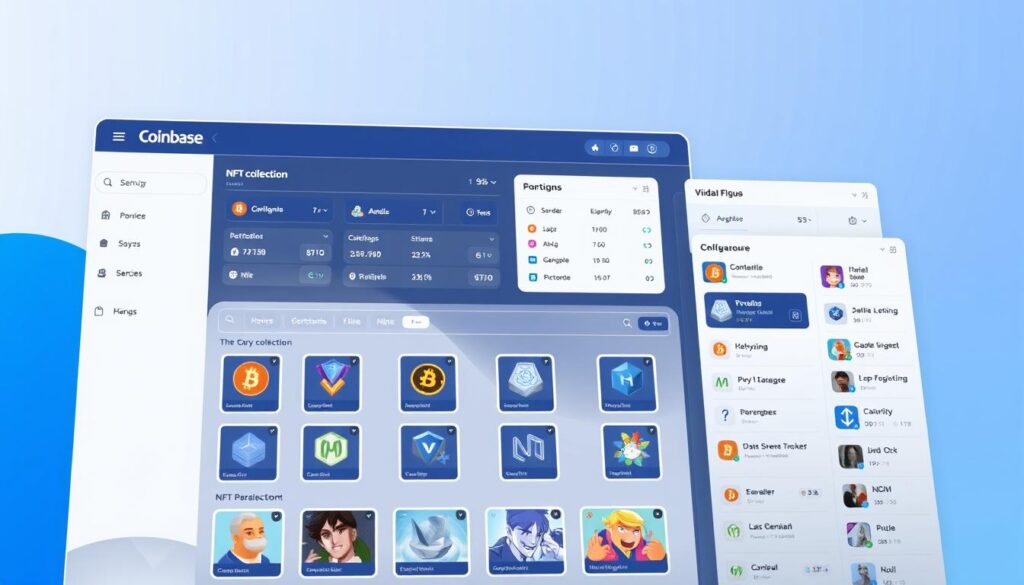
Coinbase Wallet also helps with NFTs. Users can store, send, and receive NFTs. It makes it easy to buy, sell, and trade digital art and collectibles.
NFT management capabilitiesinclude:
- Storage and display of NFTs
- Transaction capabilities for buying and selling NFTs
- Integration with popular NFT marketplaces
Staking Opportunities and Yield Farming
Users can earn rewards by staking and yield farming. This is great for those wanting to make money without much work.
Layer2 Solutions Integration
Coinbase Wallet works with Layer2 solutions. This makes transactions faster and cheaper. It makes using the wallet even better.
Troubleshooting Common Coinbase Wallet Issues
Many users face problems with Coinbase Wallet, like connection issues and failed transactions. But, there are simple steps to fix these problems. Knowing how to solve these issues can make your experience better.
Connection Problems
First, check your internet connection. Try switching from Wi-Fi to mobile data or vice versa. If the issue continues, restart the app or your device.
Transaction Failures
Failed transactions might happen if the network is too busy or if you don’t have enough funds. Make sure you have enough cryptocurrency and the network isn’t too crowded.
Recovery Phrase Issues
Having trouble with your recovery phrase? Double-check that it’s safe and you’ve entered it correctly. If you’ve lost it, you might need to reset your wallet.
Customer Support Resources
Need more help? Coinbase has a lot of resources, like a help center and forums. You can also reach out to their support team for one-on-one assistance.
- Check your internet connection for connection problems.
- Ensure sufficient funds for transactions.
- Store your recovery phrase securely.
- Utilize Coinbase’s customer support resources for help.
Security Best Practices for Coinbase Wallet Users
When you use a Coinbase Wallet, security is very important because you are in charge of your secret keys and funds. First, you should never share your recovery phrase (seed phrase) or store it digitally on cloud services or devices that are linked to the internet. Always keep it safe offline. To keep people from getting into your device without your permission, use biometric identification or a strong PIN. For all accounts that are related, use two-factor authentication (2FA), especially when moving money from Coinbase or other exchanges. Update the software on your devices and apps on a regular basis to fix security holes. Watch out for phishing efforts; only use official Coinbase Wallet links and apps. Lastly, think about using hardware wallets to store large amounts of cryptocurrency. For day-to-day transactions, keep your mobile wallet. This will protect your funds the most.
Coinbase Wallet Usage Statistics and Trends
Coinbase Wallet is a top choice for self-custody wallets. Its stats give us a peek into how users behave and what trends are happening. It’s seen a big jump in users and transactions, making it key in the crypto world.
User Adoption Rates
Since it started, Coinbase Wallet has grown in users. Its easy-to-use design and strong security have made it popular. Recently, there’s been a big rise in new users joining, showing more people trust it.

Most Popular Cryptocurrencies on Coinbase Wallet
It supports many cryptocurrencies, but Bitcoin, Ethereum, and Litecoin are the favorites. These are chosen for their liquidity and stability in the market.
Transaction Volume Trends
Transactions on Coinbase Wallet are going up, matching the rise in crypto use. Its quick and safe transactions help keep its volume high.
Comparison with Competitor Wallets
Coinbase Wallet shines compared to others. It’s easy to use with Coinbase Exchange and has top-notch security.
Market Share Analysis
Coinbase Wallet has a big chunk of the self-custody wallet market. It’s neck and neck with other big names.
Feature Comparison
Looking at features, Coinbase Wallet stands out. It mixes security, ease of use, and links with Coinbase services in a unique way.
Conclusion
Setting up a Coinbase Wallet is easy and safe. It lets users manage their cryptocurrencies well. Just follow the steps in this guide to get started. The Coinbase Wallet has many good points. It’s easy to use and works well with the Coinbase Exchange. It also has strong security and lets users connect to DApps and manage NFTs. In short, the Coinbase Wallet is a solid choice for managing cryptocurrencies. It offers a lot of features and is easy to use. By knowing what it can do, users can enjoy using it and feel confident in their cryptocurrency journey.
FAQs
Coinbase Wallet lets you store, send, and receive cryptocurrencies. It’s a self-custody wallet. Coinbase Exchange, on the other hand, is for buying and selling cryptocurrencies. With Coinbase Wallet, you control your private keys. Coinbase Exchange holds your assets.
How do I create a Coinbase Wallet?
First, download the Coinbase Wallet app. Then, set up an account and secure your recovery phrase. Lastly, verify your identity to meet regulatory needs.
What are the device requirements for creating a Coinbase Wallet?
You can use Coinbase Wallet on mobile devices. Download the app from the App Store or Google Play Store. Make sure your device meets Coinbase’s minimum system requirements.
How do I add funds to my Coinbase Wallet?
You can add funds in several ways. Transfer from Coinbase Exchange, deposit from other wallets, or buy directly in the wallet.
What are the transaction fees associated with using Coinbase Wallet?
Fees vary based on network congestion, cryptocurrency type, and wallet settings. Adjusting transaction priority or using Layer2 solutions can help manage fees.
How do I secure my Coinbase Wallet?
Enable two-factor authentication and store your recovery phrase safely. Be wary of phishing and conduct regular security checks.
Can I connect my Coinbase Wallet to DApps and Web3?
Yes, Coinbase Wallet connects to DApps and Web3. This lets you use various decentralized applications and services.
What if I encounter issues with my Coinbase Wallet?
For problems like connection issues or transaction failures, check the troubleshooting guide. If needed, contact Coinbase support for help.
How do I manage my NFTs on Coinbase Wallet?
Coinbase Wallet lets you manage NFTs. You can view, send, and receive NFTs. It also connects to NFT marketplaces.
What are the benefits of using Coinbase Wallet for staking and yield farming?
Coinbase Wallet offers staking and yield farming. This lets you earn rewards on your cryptocurrencies. You can validate transactions and earn interest on your assets.