

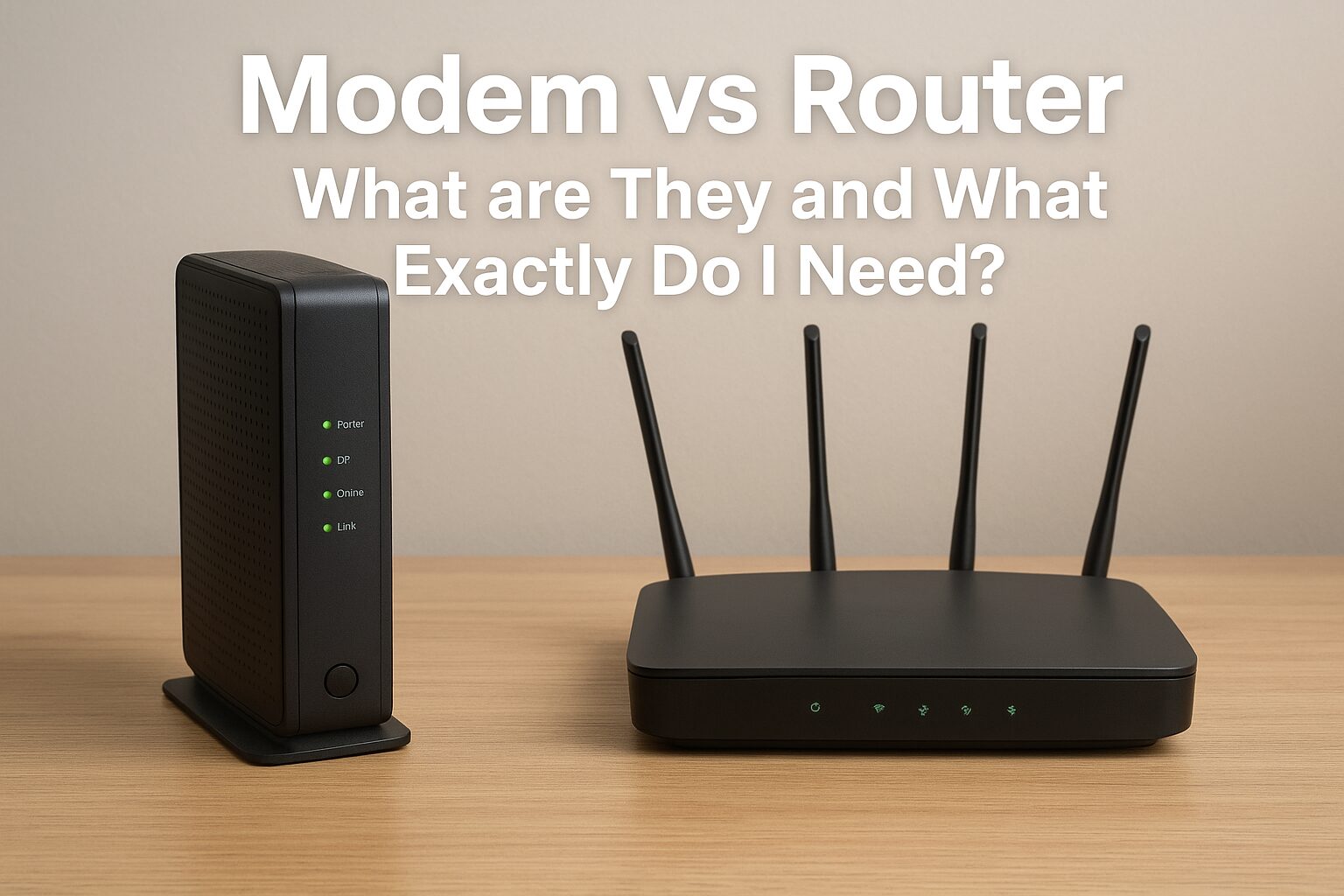
In today’s digital world, understanding the difference between a modem vs router is more important than ever, because a fast and stable internet connection is no longer a luxury—it’s a necessity. From working at home to streaming Netflix, gaming, and managing smart home devices, the internet powers almost everything we do.
But when it comes to setting up internet at home or in the office, people often get confused between two important devices: the modem vs router. They look similar, and sometimes they’re even combined into one box, but they play very different roles.
In this guide, we’ll break down what a modem is, what a router does, and whether you need one or both. We’ll also compare modem vs router side by side, share expert tips on choosing the right one, and clear up common misconceptions so you can make smarter decisions for your home network.
What is a Modem?
A modem (short for modulator-demodulator) is the device that connects your home or office to the internet through your Internet Service Provider (ISP). Think of it as the translator between your ISP’s signal and your devices.
How it Works
Your ISP sends internet data through cables (coaxial, fiber, DSL, or satellite). The modem converts those signals into a digital format that your devices—computers, phones, smart TVs—can understand. Without a modem, you can’t get online through a wired ISP connection.
Types of Modems
- DSL Modem – Uses phone lines for internet. Common in older setups.
- Cable Modem – Uses coaxial cables. Widely used by cable internet providers.
- Fiber Modem (ONT) – For fiber-optic connections. Offers very high speeds.
- Satellite Modem – Connects to satellites. Usually slower but available in rural areas.
When You Need a Modem
You need a modem whenever you want to connect your home or office to the internet. The modem is the device that communicates directly with your Internet Service Provider (ISP), converting their signal into a form your devices can use. If you subscribe to cable, DSL, fiber, or satellite internet, a modem is required to receive and decode that signal. Even if you have a router, it cannot connect to the internet without a modem unless it’s a modem-router combo. Essentially, a modem is necessary whenever you want an internet connection coming into your home network.
How does a modem provide internet access?
A modem provides internet access by acting as a bridge between your home network and your Internet Service Provider (ISP). It receives the incoming signal from your ISP—which could come through cable, DSL, fiber, or satellite—and converts it into a digital signal that your devices can understand. This allows your computer, smartphone, or other devices to send and receive data over the internet. While a modem brings the connection into your home, it typically provides only one device connection at a time, which is why it is usually paired with a router to share the internet across multiple devices via Wi-Fi or additional Ethernet ports.
What is a Router?
A router is the device that takes the internet from your modem and distributes it to multiple devices, either through Ethernet cables or Wi-Fi.
How it Works
The modem connects you to the internet, but the router creates a local network inside your home or office. This allows all your devices—laptops, smartphones, smart speakers—to connect at the same time, often wirelessly.
Types of Routers
- Wired Router – Uses Ethernet only; no Wi-Fi.
- Wireless Router (Wi-Fi Router) – The most common type, allowing multiple devices to connect wirelessly.
- Mesh Router – A system with multiple units that provide stronger coverage across larger homes or offices.
When You Need a Router
- You want to connect multiple devices to the internet at once.
- You need Wi-Fi for smartphones, laptops, and smart devices.
- You want network security, parental controls, or guest networks.
Modem vs Router: Key Differences
| Feature | Modem | Router |
|---|---|---|
| Main Function | Connects your home or office directly to the internet via your ISP | Distributes the internet connection from the modem to multiple devices |
| Connection Type | Uses coaxial, DSL, fiber, or satellite cables | Uses Ethernet cables or Wi-Fi |
| Number of Devices | Usually supports 1 device directly | Supports multiple devices at the same time |
| Wi-Fi Capability | No (needs a router for wireless access) | Yes (if it’s a Wi-Fi or mesh router) |
| Security Features | Limited (depends on ISP) | Offers firewall, encryption, parental controls, and guest networks |
| Standalone Use | Can connect 1 device directly to the internet | Needs a modem to access the internet |
| Appearance | Smaller, usually fewer ports and no antennas | Often larger, has multiple antennas and more ports |
Suggested Visual:
- Infographic showing “Modem → Router → Devices” flow.
- Pie chart showing the percentage of U.S. households using modem-router combos vs. separate devices.
Do I Need Both a Modem and a Router?
This is one of the most common questions people ask. The answer: it depends on your setup.
When Only a Modem is Enough
- If you only connect one device directly with an Ethernet cable.
- If you’re troubleshooting or testing internet speed directly from your ISP.
When Only a Router is Enough
- If your internet comes from a mobile hotspot or 5G home internet box (these often act as modem + router in one).
- If you’re connecting devices inside a local network without internet (e.g., file sharing or LAN gaming).
Why Most Households Need Both
Most homes use multiple devices (phones, smart TVs, laptops). That’s why a modem + router combo is standard—modem connects you to the internet, and router spreads it across your home.
Modem-Router Combo Devices
Some ISPs provide a gateway device, which is a modem and router in one box.
Pros:
- Easy setup.
- Fewer devices and cables.
- Often included in ISP package.
Cons:
- Less flexibility.
- Harder to upgrade one part (you have to replace the whole unit).
- Limited advanced features compared to standalone routers.
How do I know if a modem or router is fast enough?
To determine if your modem or router is fast enough, start by checking your internet plan speed from your ISP. Your modem and router should both support speeds equal to or higher than your plan to avoid bottlenecks. You can also run internet speed tests on your devices to see if you’re getting close to the promised speeds. For routers, consider the Wi-Fi standard (e.g., Wi-Fi 5, Wi-Fi 6, or Wi-Fi 7), the number of bands (dual or tri-band), and the coverage area—these affect how well your devices can use the connection. If multiple devices slow down the network or speeds are consistently lower than expected, it may be time to upgrade your modem, router, or both.
How to Choose the Right Modem and Router
Choosing the right modem and router starts with understanding your internet needs and plan. For the modem, ensure it is compatible with your ISP and supports speeds equal to or higher than your plan. Cable, DSL, fiber, and satellite services each may require specific modem types. For the router, consider the Wi-Fi standard (Wi-Fi 5, 6, or 7), the coverage area, the number of devices you plan to connect, and features like dual or tri-band support, security options, and parental controls. If you have a small home with few devices, a basic router may suffice; for larger homes or heavy streaming and gaming, choose a more advanced model. By matching your modem and router to your plan and usage, you can ensure fast, reliable, and secure internet throughout your home.
Common Misconceptions About Modems and Routers
Let’s clear up some common myths:
- “Routers provide internet.”
False. Routers only distribute internet. Without a modem (or built-in modem), no internet will reach your devices. - “Modems improve Wi-Fi speed.”
False. Wi-Fi speed depends on your router, not your modem. - “You don’t need a router if you have a modem.”
Technically true if you only use one device via Ethernet, but most people need Wi-Fi.
FAQs (Quick Answers)
Q1: Can I connect to the internet with just a router?
No. A router alone cannot connect to the internet unless it has a built-in modem or uses a mobile data connection.
Q2: Does a modem have Wi-Fi?
No. Modems don’t provide Wi-Fi. You need a router for wireless access.
Q3: Is a modem-router combo better than separate devices?
It depends. Combos are easier to set up, but separate devices offer better performance and upgrade options.
Q4: How often should I replace my modem or router?
Every 3–5 years, or sooner if your devices can’t handle faster speeds.
Q5. What is a modem-router combo, and should I get one?
A modem-router combo is a single device that includes both modem and router functions. It’s convenient and easier to set up, but it can be less flexible if you want to upgrade one part later.
Q6. How often should I replace my modem or router?
Typically every 3–5 years, or sooner if your internet speeds are slow, your devices can’t handle your ISP’s upgraded speeds, or your router struggles with multiple connections.
Q7. Which is more important, a modem or a router?
Both are important but for different reasons. Without a modem, you can’t access the internet. Without a router, you can’t share the internet across multiple devices or use Wi-Fi.
Q8: Do I need a router if I have a modem?
Yes, you usually need a router even if you have a modem. A modem connects your home to the internet, but it typically provides only one wired connection. A router allows you to share that internet connection with multiple devices, either via Wi-Fi or additional Ethernet ports, enabling laptops, phones, smart TVs, and other devices to connect simultaneously.
Q9: Which is better: router or modem?
A modem and router serve different purposes, so neither is “better” on its own—they work together. The modem connects to your ISP to bring internet into your home, while the router distributes the connection to your devices and provides features like Wi-Fi, network security, and device management. For a functional home network, you generally need both.
Q10: Is Wi-Fi on a router or modem?
Wi-Fi is typically provided by a router. Some modern devices called modem-router combos include Wi-Fi, but a standard modem alone does not broadcast a wireless signal. The router handles the wireless network, allowing devices to connect without cables while also managing traffic, security, and multiple connections efficiently.
Conclusion
To sum it up:
- A modem connects you to the internet.
- A router distributes that internet to your devices.
- Most households need both—unless your ISP provides a modem-router combo.
Before buying, check your ISP requirements, your internet speed plan, and the number of devices you want to connect. That way, you’ll invest in the right equipment for smooth streaming, gaming, and working from home.
Disclaimer
This article is for educational purposes only. Product recommendations, speed claims, and compatibility details may vary depending on your Internet Service Provider and location. Always confirm with your ISP before purchasing new equipment.

