


A reliable home Wi-Fi network is key in today’s world. Smart homes and remote work have made internet coverage more important. The global Wi-Fi mesh system market is growing fast, thanks to the need for better home networks.
Homes now rely heavily on the internet. Mesh router systems help by covering all areas and getting rid of dead spots. Knowing what these systems offer can help homeowners improve their Wi-Fi.
Key Takeaways
- Mesh router systems offer reliable and high-performance home Wi-Fi.
- The global Wi-Fi mesh system market is experiencing significant growth.
- Mesh networks provide complete coverage and get rid of dead zones.
- Understanding mesh router systems can help homeowners make informed decisions.
- These systems are essential for smart homes and remote work setups.
When do you need a mesh Wi-Fi system?
You need a mesh Wi-Fi system when a single router cannot provide strong, consistent coverage throughout your home or office. This is especially true in large houses, multi-story buildings, or homes with thick walls that block Wi-Fi signals. Mesh systems are also helpful if you have many connected devices, like smart TVs, phones, gaming consoles, and IoT gadgets, that need reliable internet simultaneously. They create a seamless network with multiple nodes, eliminating dead zones and maintaining strong speeds everywhere, making them ideal for households or offices where traditional routers fall short.
How does Mesh WiFi Work?
What Makes Mesh Networks Different
Mesh network technology has changed how we connect to the internet at home. It’s a better choice than traditional Wi-Fi routers. Mesh networks offer a strong, reliable, and seamless internet connection everywhere in your home.
Traditional Routers vs. Mesh Technology
Traditional routers often can’t cover large homes well. Mesh technology uses many nodes or access points. This creates a network of Wi-Fi access points for strong and reliable connectivity. Key differences include:
- Extended coverage: Mesh networks get rid of dead zones, giving a strong signal everywhere in your home.
- Self-healing: If a node goes down, the network finds another path, keeping service uninterrupted.
- Easy expansion: Adding more nodes is simple, making it easy to grow your network as needed.
The Evolution of Home Wi-Fi Solutions
Home Wi-Fi solutions have changed a lot over time. From the early days of Wi-Fi to today’s mesh networks, we’ve moved towards better connectivity. Key advancements include:
- The introduction of Wi-Fi 6 and Wi-Fi 6E, which offer faster speeds and better performance in crowded areas.
- The development of mesh technology, which has changed how we experience Wi-Fi at home.
- Increased focus on security, with modern mesh systems having advanced security features and regular updates.
These changes have made mesh networks a popular choice for reliable and fast internet at home.
Key Benefits of a Mesh Router System
A mesh router system brings many advantages to home networking. It provides complete coverage in your home.
Eliminating Wi-Fi Dead Zones
Mesh router systems are made to eliminate Wi-Fi dead zones. They use multiple nodes for a strong, reliable connection everywhere. This is great for big homes where old routers can’t cover well.
Seamless Roaming Throughout Your Home
Another big plus is seamless roaming in your home. You won’t lose connection as you move. The mesh network switches your device between nodes, keeping your internet steady.
Supporting Multiple Connected Devices
Mesh router systems also handle multiple connected devices well. With more smart home devices, this is key. A mesh system keeps all devices connected strongly and steadily.
The benefits of a mesh router system include:
- Reliable coverage throughout your home
- Elimination of Wi-Fi dead zones
- Seamless roaming between nodes
- Support for multiple devices
Top Mesh Router Systems of 2025
This year, several mesh router systems have emerged as leaders. They provide robust and reliable Wi-Fi. We’ll look at their performance and unique features.
Google Nest Wifi Pro
The Google Nest Wifi Pro is a top choice in the mesh router market. It offers excellent coverage and speed. Its performance metrics are impressive, with fast data transfer rates.
Performance Metrics
The Google Nest Wifi Pro boasts high-speed data transfer. It supports Wi-Fi 6E and has a strong dual-band signal.
Unique Features
One of its standout features is the integration with Google Home. This allows for seamless smart home management.
Amazon Eero Pro 6E
The Amazon Eero Pro 6E is another top contender. It’s known for its robust performance and extensive coverage. It’s designed to handle multiple devices with ease.
Performance Metrics
The Eero Pro 6E delivers fast and reliable connectivity. It uses Wi-Fi 6E technology and has a tri-band configuration.
Unique Features
A notable feature is its easy setup via the Eero app. This makes it user-friendly for those who are not tech-savvy.
ASUS ZenWiFi AX (XT8)
The ASUS ZenWiFi AX (XT8) is a high-performance mesh system. It offers extensive coverage and advanced features.
Performance Metrics
It provides exceptional speed and range. It uses Wi-Fi 6 technology and has a robust antenna design.
Unique Features
The XT8 includes advanced security features. These include AiProtection powered by Trend Micro.
Netgear Orbi RBKE963
The Netgear Orbi RBKE963 is a top-of-the-line mesh system. It offers unparalleled coverage and performance.
Performance Metrics
It delivers lightning-fast speeds. Its tri-band Wi-Fi 6E technology is key.
Unique Features
The RBKE963 features Dedicated Backhaul. This ensures a stable and fast connection between nodes.
| Mesh Router System | Wi-Fi Standard | Speed | Coverage |
|---|---|---|---|
| Google Nest Wifi Pro | Wi-Fi 6E | Up to 5.4Gbps | Up to 6,600 sq. ft. |
| Amazon Eero Pro 6E | Wi-Fi 6E | Up to 4.8Gbps | Up to 6,500 sq. ft. |
| ASUS ZenWiFi AX (XT8) | Wi-Fi 6 | Up to 4.8Gbps | Up to 5,500 sq. ft. |
| Netgear Orbi RBKE963 | Wi-Fi 6E | Up to 10.8Gbps | Up to 9,000 sq. ft. |
Budget-Friendly Mesh Router Options
Mesh router systems don’t have to be expensive. There are many affordable options that offer great value. These models are perfect for those who want reliable Wi-Fi without spending a lot.
TP-Link Deco X20
The TP-Link Deco X20 is a top pick for budget-friendly mesh routers. It has AX1800 Wi-Fi 6 capabilities, ensuring fast and reliable connections.
Value Proposition
The Deco X20 is priced well, making it a great choice for those on a budget. It also has a user-friendly app for easy setup and management.
Performance Trade-offs
While it’s a great value, the Deco X20 might lack some advanced features. But, it’s a solid choice for most homes, delivering on performance.
Amazon Eero6
The Amazon Eero6 is another budget-friendly mesh router that’s popular. It’s known for its easy setup and integration with other smart home devices.
Value Proposition
Eero6 provides a seamless Wi-Fi experience with its tri-band technology. This ensures devices stay connected throughout the home.
Performance Trade-offs
One trade-off is that Eero6 might require a subscription to Amazon’s services for some advanced features. This could be a consideration for some users.
Google Nest Wifi
The Google Nest Wifi is a versatile mesh router system. It combines fast Wi-Fi with smart speaker functionality. It’s ideal for those invested in the Google ecosystem.
Value Proposition
Nest Wifi offers a unique value with its whole-home coverage and integration with Google Assistant for voice control.
Performance Trade-offs
While it performs well, some users might find Nest Wifi lacks customization compared to other mesh router systems.
| Mesh Router | Wi-Fi Standard | Price Range |
|---|---|---|
| TP-Link Deco X20 | AX1800 (Wi-Fi 6) | $100-$150 |
| Amazon Eero6 | AX3000 (Wi-Fi 6) | $150-$200 |
| Google Nest Wifi | AC2200 (Wi-Fi 5) | $200-$300 |
https://www.youtube.com/watch?v=uRH9FT67isA
Performance Comparison: Speed and Coverage
It’s important to know how mesh router systems compare. When picking a mesh router, look at speed and coverage.
Download/Upload Speed Benchmarks
Speed benchmarks show how well mesh routers work in real life. They test download and upload speeds in controlled settings.
2.4GHz Performance Data
The 2.4GHz band covers more area but is slower than the 5GHz band. Routers like Google Nest Wifi Pro and Amazon Eero Pro 6E perform well here.
5GHz and 6GHz Performance Data
The 5GHz and 6GHz bands are faster but cover less area. The Netgear Orbi RBKE963, for example, excels in these bands, perfect for high-bandwidth needs.
Coverage Area Analysis
Coverage is key for mesh routers. They need to keep a strong signal all over your home.
Single-Story Home Performance
In single-story homes, routers like TP-Link Deco X20 work great. They ensure every corner of your home has a strong Wi-Fi signal.
Multi-Story Home Performance
For homes with multiple floors, the ASUS ZenWiFi AX (XT8) is a good choice. It offers smooth coverage across floors.
“The right mesh router can greatly improve your home’s Wi-Fi,” notes a networking expert. “It’s not just about covering the area; it’s about fast, consistent performance everywhere.”
Advanced Features in Modern Mesh Router Systems
Today’s mesh routers are changing how we connect at home. They do more than just provide a strong Wi-Fi signal. They create a safe, efficient, and easy-to-manage network.
Wi-Fi6 and Wi-Fi6E Support
Modern mesh routers support the latest Wi-Fi standards, like Wi-Fi6 and Wi-Fi6E. Wi-Fi6 boosts performance in crowded areas. Wi-Fi6E adds more bandwidth and less interference by using the 6 GHz band. For example, the Google Nest Wifi Pro and Netgear Orbi RBKE963 have Wi-Fi6E, making them future-proof and fast.
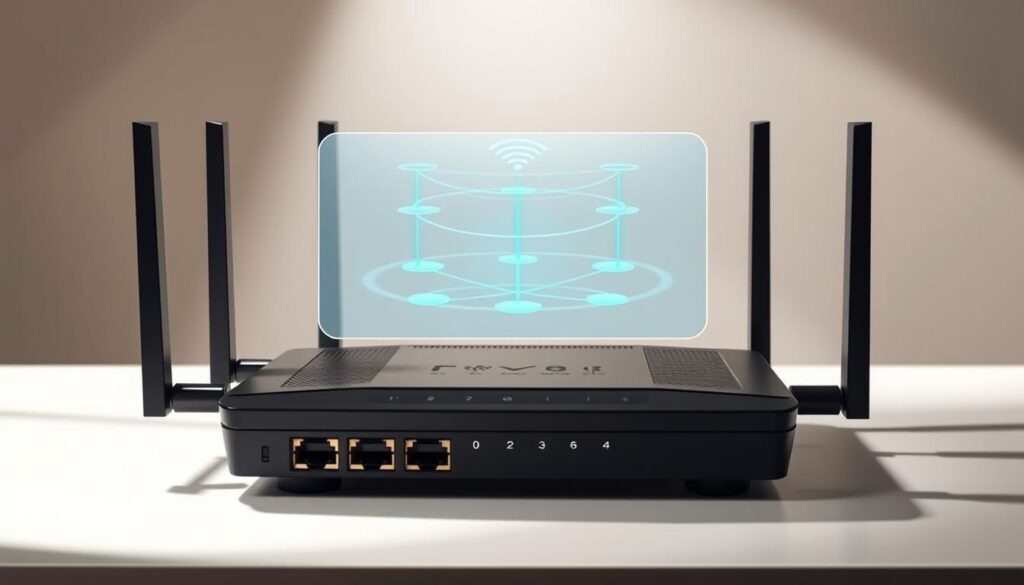
Security Features and Parental Controls
Modern Wi‑Fi systems and mesh routers come with built‑in security features and parental controls that help protect your network and manage how devices are used. Security tools like firewalls, WPA3 encryption, and automatic firmware updates keep hackers and malware out, while guest network options let visitors connect without accessing your private devices. Parental controls allow you to block inappropriate content, set time limits, and pause internet access for specific devices—perfect for managing kids’ screen time. By choosing a router or mesh system with strong security and easy‑to‑use controls, you make your home network safer and more family‑friendly without extra software or complexity.
Smart Home Integration Capabilities
Many modern Wi‑Fi routers and mesh systems offer smart home integration, making it easy to connect and manage devices like smart lights, thermostats, cameras, and voice assistants (such as Alexa or Google Home). With strong wireless coverage and broad device support, these systems help ensure your smart devices stay connected and responsive throughout your home. Some even include built‑in automation features or work with smart home hubs to simplify routines—like turning on lights when you arrive or adjusting the thermostat based on your schedule. Choosing a router with good smart home compatibility can make your connected home more reliable, convenient, and easier to control from a single app.
Installation and Management Experience
Setting up and managing mesh router systems has gotten much easier. Today’s mesh systems are designed for simple setup and management. They use dedicated mobile apps to make things more user-friendly.
App-Based Setup Comparison
Mesh router systems vary in how easy they are to set up. For example, Google Nest Wifi Pro and Amazon Eero Pro 6E make it simple. Their apps guide users with clear steps and no complicated terms.
| Mesh Router System | Setup Complexity | App-Based Setup |
|---|---|---|
| Google Nest Wifi Pro | Easy | Yes |
| Amazon Eero Pro 6E | Easy | Yes |
| ASUS ZenWiFi AX (XT8) | Moderate | Yes |
Ongoing Management and Updates
Managing your mesh router system is also important. Netgear Orbi RBKE963, for example, has great management features. Its app lets you monitor your network, set priorities, and update firmware automatically.
Good management keeps your network safe and fast. The quality of the management app is key. It greatly affects how easy it is to use your mesh router system.
Mesh Router Systems for Large Homes
Mesh router systems are ideal for large homes because they use multiple nodes to spread strong Wi‑Fi coverage evenly throughout the space. Instead of relying on a single router that may struggle to reach distant rooms, mesh systems place several units in key areas—like upstairs hallways or far corners—to eliminate dead zones and deliver reliable internet everywhere. These systems often support higher speeds, handle multiple devices at once, and include features like easy app setup, automatic updates, and advanced security. For big houses with thick walls or multiple floors, a mesh Wi‑Fi system provides seamless connectivity that keeps everyone online without dropped signals or slow spots.

Specialized Mesh Routers for Gaming and Streaming
Specialized mesh routers have changed how we enjoy online entertainment. They are made to offer fast performance and give more bandwidth to important tasks.
Low-Latency Performance Metrics
Low-latency is key for smooth gaming and streaming. Mesh routers for these activities often have Quality of Service (QoS) settings. These settings let users focus on their devices or apps for a better experience.
The Netgear Orbi RBKE963 is a great example. It has advanced QoS features that cut down on lag and latency.
When picking mesh routers for gaming and streaming, look for the latest Wi-Fi standards. Wi-Fi 6 or Wi-Fi 6E are good choices because they improve performance and capacity.
QoS Features for Bandwidth Prioritization
QoS features help users manage bandwidth based on their needs. This is super useful in homes with lots of devices online. It lets users give more bandwidth to gaming consoles or streaming devices for a stable connection.
The ASUS ZenWiFi AX (XT8) is a great example. It has detailed QoS settings for controlling bandwidth. This ensures important apps get the bandwidth they need.
Technical Specifications Comparison
When choosing a mesh router system, it’s important to compare key technical specifications to find the one that best fits your home. Look at Wi-Fi standards (like Wi-Fi 6 or Wi-Fi 7), maximum speed ratings, coverage area, and the number of nodes included in the system. Check for number of Ethernet ports, support for MU-MIMO (multiple devices simultaneously), and features like parental controls, app management, and security protocols. Comparing these specifications helps you understand performance differences, so you can pick a mesh system that provides fast, reliable Wi-Fi throughout your home, supports multiple devices, and meets your connectivity needs.
Conclusion: Choosing the Right Mesh Router System
Choosing the right mesh router system involves several factors. First, identify your specific needs and preferences. Whether you want something affordable or high-performance for gaming and streaming, there’s a system for you. Think about your home’s size, the number of devices you need to connect, and the performance you want. Brands like Google Nest Wifi Pro, Amazon Eero Pro 6E, and Netgear Orbi RBKE963 offer advanced features and reliable performance.
Understanding the benefits and technical specs of different systems helps you make a good choice. Look for Wi-Fi 6 and Wi-Fi 6E support, strong security, and easy setup. The right mesh router system ensures fast, reliable, and secure internet at home.

