

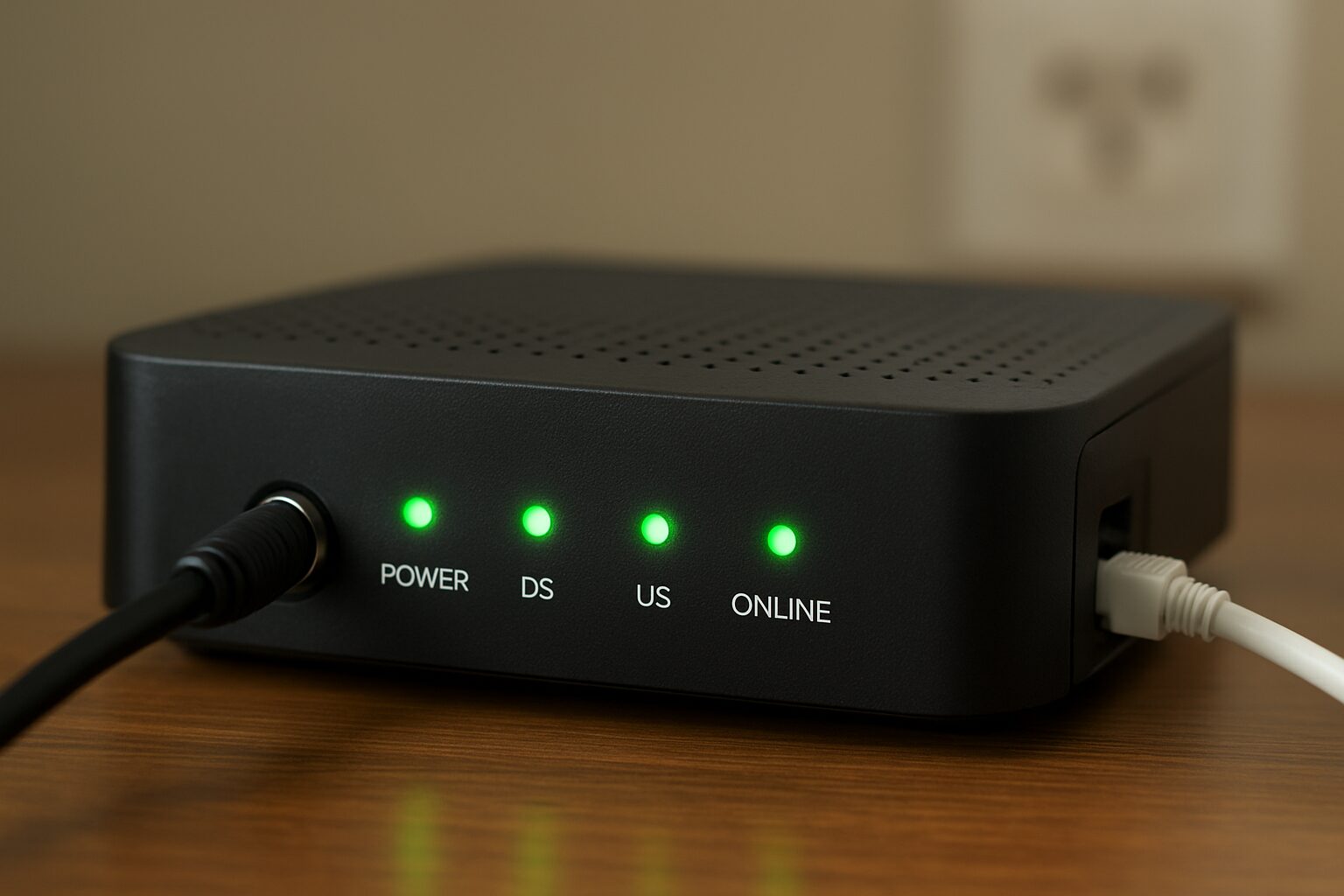
The internet is part of our everyday life—whether for work, school, gaming, streaming, or simple browsing. But behind every stable connection is a small device that plays a vital role: the modem.
In this guide, you’ll learn what a modem is, how it works, its different types, and how to choose one. This article is written in a simple, human-friendly tone so anyone can understand it.
Introduction to Modems
A modem is one of the most important devices in a home or office internet setup. Without it, you simply can’t connect to the internet. The word modem comes from modulator–demodulator. It describes the device’s main job: converting data so it can travel between your home and yourInternet Service Provider (ISP).
Why Modems Matter
Modems are a crucial component of internet connectivity, serving as the bridge between your home or business network and your Internet Service Provider (ISP). The term “modem” comes from modulator-demodulator, which describes its core function: converting digital data from your devices into analog signals for transmission over phone lines, cable, or fiber networks—and then converting incoming signals back into digital data.
Modems matter because they enable access to the internet, powering activities like browsing, streaming, online gaming, and remote work. A reliable modem ensures stable connections, faster speeds, and reduced latency, which directly impacts the quality of online experiences. Advanced modems also support modern standards such as DOCSIS 3.1 or fiber-optic connections, allowing higher bandwidth for multiple devices simultaneously.
What Is a Modem?
A modem is a device that connects your home network to the internet. It receives signals from your ISP and translates them into data your devices can use. Its main function is to convert digital data from your computer or devices into analog signals that can travel over phone lines, cable systems, or fiber networks, and then convert incoming analog signals back into digital data that your devices can understand.
Modems are essential for internet connectivity, enabling activities like browsing, streaming, online gaming, and remote work. They can be standalone devices or integrated with routers to provide Wi-Fi access to multiple devices. Modern modems support faster speeds and higher bandwidth through technologies like DOCSIS 3.1 or fiber-optic connections, making them vital for today’s high-demand digital world.
Why you need a modem?
A modem is essential because it acts as the gateway between your home or business network and the internet. Without a modem, your devices—computers, smartphones, smart TVs, or gaming consoles—cannot communicate with your Internet Service Provider (ISP), making online activities like browsing, streaming, gaming, and remote work impossible.
A modem ensures a stable and reliable connection, allowing data to flow efficiently between your devices and the internet. Modern modems also support high-speed standards like DOCSIS 3.1 for cable or fiber-optic connections, enabling faster downloads, smoother streaming, and better performance for multiple devices simultaneously.
Purpose of a Modem
- Converts your ISP’s analog or digital signals into internet data
- Connects your local devices to the internet
- Handles upstream (upload) and downstream (download) communication
Modem vs Router vs Gateway
Many people confuse these three:
| Device | Main Job |
|---|---|
| Modem | Connects you to the internet |
| Router | Shares the internet with multiple devices |
| Gateway | A modem + router combined into one |
If you want better speeds, control, and security, having a separate modem and router is usually the best option.
How Does a Modem Work?
A modem works by acting as a bridge between your devices and your Internet Service Provider (ISP). It converts digital signals from your computer or network into analog signals that can travel over telephone lines, cable, or fiber-optic networks. When data comes back from the internet, the modem demodulates the analog signals into digital signals that your devices can read and use.
Modern modems often include built-in routers, allowing multiple devices to connect via Wi-Fi or Ethernet. They also support advanced protocols like DOCSIS 3.1 for cable or GPON for fiber, which help deliver faster speeds and higher bandwidth. By managing the flow of data, modems ensure a stable, reliable, and secure connection for browsing, streaming, gaming, and other online activities.
Types of Modems
Different homes and businesses use different types of modems, depending on the type of internet connection.
1. Cable Modems
- Use coaxial cables
- Common in many homes
- Supports high-speed internet
- Works with DOCSIS technology
2. DSL Modems
- Use telephone lines
- Slower than cable or fiber
- Still used in rural areas
3. Fiber-Optic Modems (ONTs)
- Use optical cables
- Fastest internet speeds
- ONT = Optical Network Terminal
4. Satellite Modems
- Connect via satellite dish
- High latency but useful for remote areas
5. Cellular Modems (4G/5G Modems)
- Use SIM cards
- Great for portable or backup internet
6. Dial-up Modems
- Old and extremely slow
- Rarely used today
Modem vs. Router: Key Differences
A modem gets you online. A router shares that connection.
Modem Functions
- Connects to ISP
- Handles signal conversion
- Assigns your network a public IP
Router Functions
- Creates Wi-Fi
- Connects multiple devices
- Adds security (firewall, encryption)
Modem-Router Combo
ISPs often provide a 2-in-1 device. While convenient, it usually lacks:
- advanced features
- strong Wi-Fi performance
- better speed management
If you want a faster and more secure network, consider getting your own modem and router.
Components of a Modem
Modern modems are simple on the outside, but they have several important parts:
Key Components
- Power port
- WAN/Internet port
- Coaxial/DSL/Fiber port
- Ethernet ports (usually 1 to 4)
- Indicator lights such as:
- Power
- Downstream
- Upstream
- Online
- LAN
Understanding these lights helps a lot in diagnosing issues.
How a Modem Connects You to the Internet
Here’s a simple breakdown:
Step-by-Step Connection
- Modem connects to the ISP line
- It performs a “handshake”
- ISP assigns an IP address
- Modem establishes downstream and upstream channels
- Your router and devices use the connection
How Data Flows
The modem constantly:
- Receives signals
- Converts them
- Sends them to your devices
Everything happens automatically.
Do You Need a Separate Modem?
When You Need Your Own Modem
- You want faster speeds
- You want to avoid rental fees
- You want better reliability
- You want more control over your network
Using ISP-Provided Modems
Pros:
- Easy to set up
- ISP handles troubleshooting
Cons:
- Monthly rental fees
- Slower or older models
- Limited features
Buying your own modem can save you money long-term.
Common Modem Features to Look For
When buying a modem, here are the features that matter:
1. DOCSIS Version
- DOCSIS 3.1 is best for gigabit speeds
- DOCSIS 4.0 supports future speeds
2. Speed Capabilities
Make sure it supports your current plan and future upgrades.
3. ISP Compatibility
Check your ISP’s approved modem list.
4. Security Features
Modern modems include:
- Basic firewalls
- Network monitoring features
5. Number of Channels
More channels = better performance and less congestion.
Modem Troubleshooting Tips
If your internet suddenly stops working, try these:
1. Check Your Cables
Loose cables cause most connection issues.
2. Restart (Reboot) the Modem
Fixes temporary glitches.
3. Check the Indicator Lights
- No light = no signal
- Blinking = trying to connect
- Solid = good connection
4. Reset Only if Needed
This restores factory settings.
5. Contact Your ISP
Sometimes the issue is outside your home.
How to Choose the Right Modem
1. Match Your Internet Type
Cable, DSL, fiber, or 5G—choose the correct modem type.
2. Check Recommended Specs
- For 100–200 Mbps → DOCSIS 3.0 is enough
- For 500 Mbps to 1 Gbps → DOCSIS 3.1
- For 2 Gbps+ → DOCSIS 4.0
3. Look for Future-Proof Features
- Higher channel bonding
- Latest DOCSIS
- Strong processor inside
Choosing the right modem gives you better stability and faster speeds.
Conclusion
A modem is the heart of your internet connection. It works behind the scenes to ensure smooth communication between your home and your ISP. By understanding how modems work, you can troubleshoot issues better, choose the right device, and improve your home network. If you want to boost your internet speed and overall performance, upgrading your modem may be one of the best decisions you can make.
FAQs About Modems
1. What does a modem do?
It connects your home to your ISP and converts signals into usable internet data.
2. Do I need both a modem and a router?
Yes—unless you have a modem-router combo device.
3. Can I use any modem with my ISP?
No, it must be compatible with your ISP’s network.
4. Why is my modem light blinking?
It means the modem is trying to connect or there is a signal issue.
5. How long does a modem last?
Typically 3–5 years.
6. What is DOCSIS?
It’s the technology standard used by cable modems.
7. Does a modem give me Wi-Fi?
No, Wi-Fi comes from a router.
8. How can I improve my modem’s performance?
Use high-quality cables, reboot occasionally, and upgrade outdated hardware.
9. Can I move my modem to another room?
Yes, as long as there is an ISP connection port.
10. What is an ONT modem?
It’s a fiber-optic modem used for fiber internet.
Disclaimer
This content is for informational and educational purposes only. Always check with your Internet Service Provider for compatibility, network requirements, and technical support before buying or changing any network equipment.

