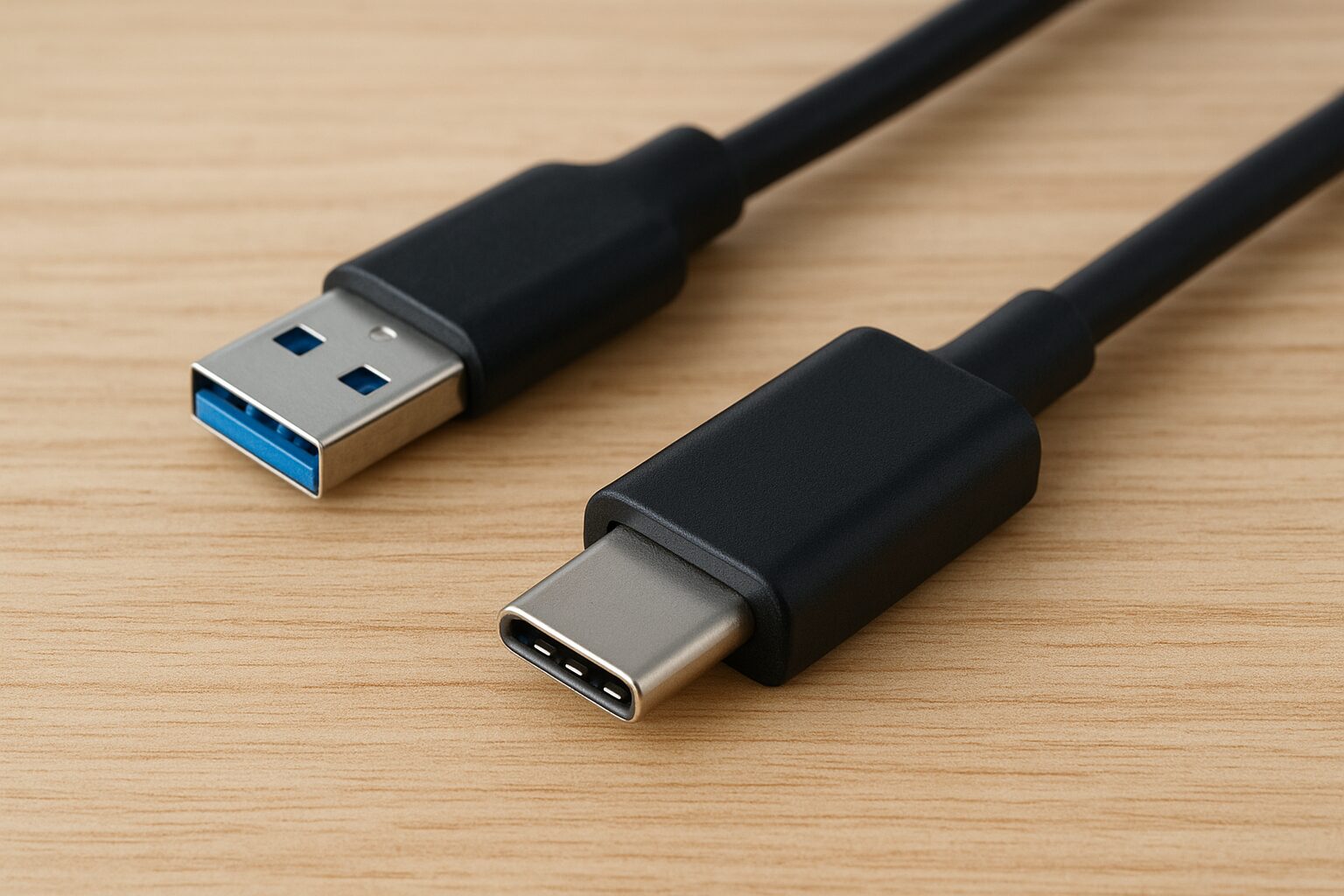
Today, most modern devices—from smartphones to laptops—use USB-C ports. But many older gadgets still use traditional USB connectors. This is where a USB to USB-C adapter becomes essential. It helps you connect old and new devices without buying new cables.
This guide will explain what a USB to USB-C adapter is, the different types of USB connectors, how they work, and how to choose the best adapter for your needs.
Introduction
Technology evolves fast, and one of the biggest shifts in recent years is the move toward USB-C as the global standard. If you’ve ever tried to plug in a USB-A device into a USB-C-only laptop, you know the struggle.
A USB to USB-C adapter solves this problem instantly.
In this article, you’ll learn:
- What a USB to USB-C adapter does
- The different types of USB connectors
- USB speed standards (USB 2.0, USB 3.0, USB4, etc.)
- How to choose the right adapter
- Common issues and how to fix them
What is USB Used For?
USB (Universal Serial Bus) is used to connect, transfer data, and supply power between electronic devices. It allows you to move files between computers, flash drives, smartphones, and cameras, as well as charge devices like phones, tablets, and laptops. USB also connects peripherals such as keyboards, mice, printers, and game controllers, and supports audio or video devices like speakers, webcams, and monitors. Additionally, some USB devices provide network access, such as Wi-Fi adapters or modems. Overall, USB provides a simple, reliable, and versatile way to link and power a wide range of modern electronics.
What Is a USB to USB-C Adapter?
A USB to USB-C adapter is a small accessory that allows you to connect older USB cables or devices to modern USB-C ports.
What it does:
- Converts USB-A or USB-B to USB-C
- Lets you plug older devices into newer phones, laptops, or tablets
- Supports charging, data transfer, and sometimes video output
- Helps avoid buying new cables
Common use cases:
- Connecting a flash drive to a USB-C laptop
- Charging a phone using an older USB-A charger
- Plugging in keyboards, mice, printers, and other peripherals
- Transferring photos from older devices
- Using OTG (On-The-Go) on Android phones
In short, it bridges the gap between old USB technology and modern USB-C devices.
Why USB-C Became the Standard
USB-C is now used in:
- Android phones
- iPads
- MacBooks
- Windows laptops
- Gaming consoles
- Power banks
- Chargers
- External drives
Benefits of USB-C:
- Reversible design (no more guessing the orientation)
- Faster charging through Power Delivery (PD)
- Faster data transfer speeds
- Can support video output (DisplayPort or HDMI through adapters)
- Works for almost all types of devices
Because of these advantages, USB-C is now replacing older USB types worldwide.
The Different Types of USB Connectors
To understand USB-C and adapters better, you need to know the different types of USB connectors still found on devices today.
USB Type-A
This is the classic rectangular plug used for:
- Flash drives
- Keyboards
- Mice
- Older chargers
- Gaming controllers
Even though it’s old, USB-A is still widely used.
USB Type-B
Used mostly for:
- Printers
- Scanners
- Audio interfaces
- Larger external hard drives
Variants include:
- USB-B Standard
- USB-B Mini
- USB-B Micro (common in old Android phones)
USB Type-C
The newest and most advanced connector.
Features include:
- Reversible plug
- Faster speeds
- Supports charging + data + video
- Universal compatibility
USB-C is replacing USB-A and USB-B in almost all modern devices.
USB Standards and Speeds Explained
USB speed and performance depend not on the connector shape but on the USB standard used.
USB 2.0
- Speed: 480 Mbps
- Good for keyboards, mice, basic devices
- Does not support fast charging
USB 3.0 / USB 3.1 / USB 3.2
- Speeds from 5Gbps to 20Gbps
- Ideal for SSDs, external drives, HD video transfer
- USB 3 ports are usually blue inside
USB4 and Thunderbolt Compatibility
- Speeds up to 40Gbps
- Supports dual 4K displays
- Common on modern MacBooks and high-end PCs
Important note:
A USB-C adapter might support only USB 2.0 speeds unless it is labeled as USB 3.1, USB 3.2, or USB4.
Visual Chart: USB Speed Comparison
Below is a simple comparison chart showing how USB speeds have grown over time:
USB SPEED COMPARISON (Higher is Faster)

USB 2.0        | ███ 0.48 Gbps
USB 3.0        | █████████ 5 Gbps
USB 3.1 Gen 2  | ███████████████ 10 Gbps
USB 3.2        | █████████████████████ 20 Gbps
USB4           | ██████████████████████████████ 40 Gbps
Types of USB to USB-C Adapters
Not all adapters are the same. Here are the most common types and how they work.
USB-A Male to USB-C Female
Useful when you want to plug a USB-C device into an older USB-A port.
Best for:
- Connecting USB-C phones to USB-A chargers
- Using USB-C hubs on older laptops
- Plugging USB-C accessories into USB-A desktops
USB-C Male to USB-A Female
This is the most popular adapter today.
Great for:
- Plugging flash drives into USB-C laptops
- Using keyboards/mice with new computers
- Reading data from cameras
Multi-Port USB-C Hubs
These hubs include several ports such as:
- USB-A
- HDMI
- Ethernet
- SD card
- USB-C PD charging
They turn one USB-C port into many ports—perfect for MacBooks and ultrabooks.
USB-C OTG Adapters
OTG (On-The-Go) adapters connect USB-A devices directly to smartphones.
Examples:
- Plugging a USB drive into an Android phone
- Using a wired keyboard on a tablet
- Accessing files quickly on the go
OTG is very useful for productivity and data transfer.
How to Choose the Right USB to USB-C Adapter
Before buying an adapter, consider these factors:
Speed Requirements
- For keyboards or mice → USB 2.0 is enough
- For SSDs or external drives → USB 3.1 or USB 3.2
- For video output → USB-C to HDMI or USB4 hub
Charging Support (Power Delivery)
If you want fast charging, look for:
- “PD” or “Power Delivery”
- 20W, 30W, 65W, 100W, or higher ratings
Device Compatibility
Check if the adapter works with:
- Android
- iPhone (now using USB-C)
- Windows laptops
- MacBooks
- iPads
7Build Quality
Choose:
- Aluminum casing
- Braided cable
- High-quality connectors
Cheap adapters often break or fail to support data transfer.
Advantages of Using a USB to USB-C Adapter
A USB to USB-C adapter provides a simple and cost-effective way to connect older USB-A devices to modern USB-C ports. It ensures compatibility between different device generations, allowing you to use existing keyboards, mice, flash drives, and other peripherals without buying new equipment. The adapter also supports fast and reliable data transfer and enables charging of older devices using USB-C chargers. Its small, portable design makes it convenient to carry and use anywhere, making it a practical solution for bridging the gap between older and newer technology.
Common Issues and Troubleshooting Tips
A USB to USB-C adapter allows you to connect older USB-A devices, like keyboards, mice, and flash drives, to newer USB-C ports on modern laptops, tablets, and smartphones. This makes it easy to charge devices or transfer data between different USB standards. However, USB devices can encounter common issues such as slow data transfer, charging problems, loose ports, or compatibility conflicts. These problems are often caused by outdated drivers, poor-quality cables, or mismatched USB standards. Using high-quality cables, updating drivers, and ensuring device compatibility can help resolve most USB-related issues and ensure smooth performance.
FAQs
What is a USB to USB-C adapter used for?
It connects older USB devices to modern USB-C ports for charging or data transfer.
Can a USB to USB-C adapter fast charge my phone?
Yes, but only if the adapter supports Power Delivery (PD).
Does a USB-C adapter affect data speed?
Yes. USB 2.0 adapters are slow; USB 3.1 and USB4 adapters offer much faster speeds.
Can I use a USB-C adapter for HDMI or display output?
Only USB-C hubs or dedicated USB-C to HDMI adapters can output video.
Do USB-C OTG adapters work with iPhone?
New iPhones with USB-C support OTG for accessories like flash drives and controllers.
Can I convert a USB to USB-C?
Yes. You can convert it using a USB to USB-C adapter.
Do USB to USB-C adapters work?
Yes. They work for charging and data transfer as long as they match your device’s specs.
Is there a USB to Type-C adapter?
Yes. Many adapters convert USB-A or USB-B to USB-C.
Why does USB to USB-C not work?
Usually due to an incompatible cable, low-speed adapter, no OTG support, or lack of power delivery.
Disclaimer
This article is for informational purposes only. Product features, speeds, and compatibility may vary depending on the manufacturer. Always refer to your device manual or product specifications before purchasing adapters or accessories.

CryptoDaily101 is a digital content hub covering money-making tips, iGaming, cryptocurrency, and the freelance economy. We publish practical guides and in-depth resources to help readers earn online — whether through crypto, freelancing, side hustles, or digital work opportunities.



Dive into a world of adventure with december 9th 2025! This game boasts stunning graphics and an immersive storyline that will keep you hooked for hours. Explore vast landscapes, battle fearsome foes, and uncover ancient secrets in this unforgettable quest. It’s a must-play for any RPG fan!